.png)
Learn how to get more clients to find you online and call you for business
Dear Professionals, you all must be searching for many services on Google on daily basis like for eg mobile phones or some local shops or repairing services. likewise many of your clients search on Google for Tax Services.

Lets see an example, here I will search the term Chartered Accountants in Mumbai.
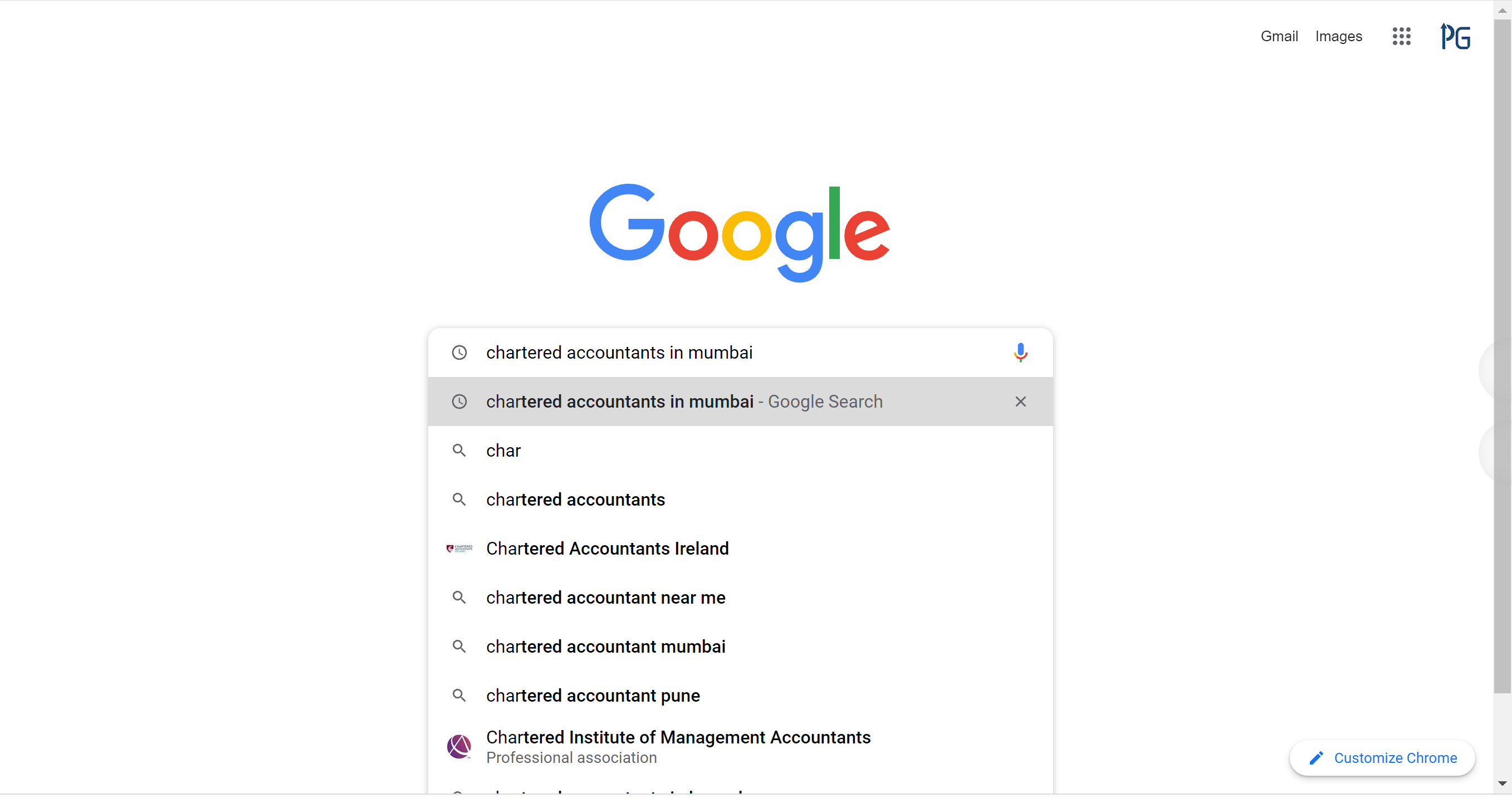
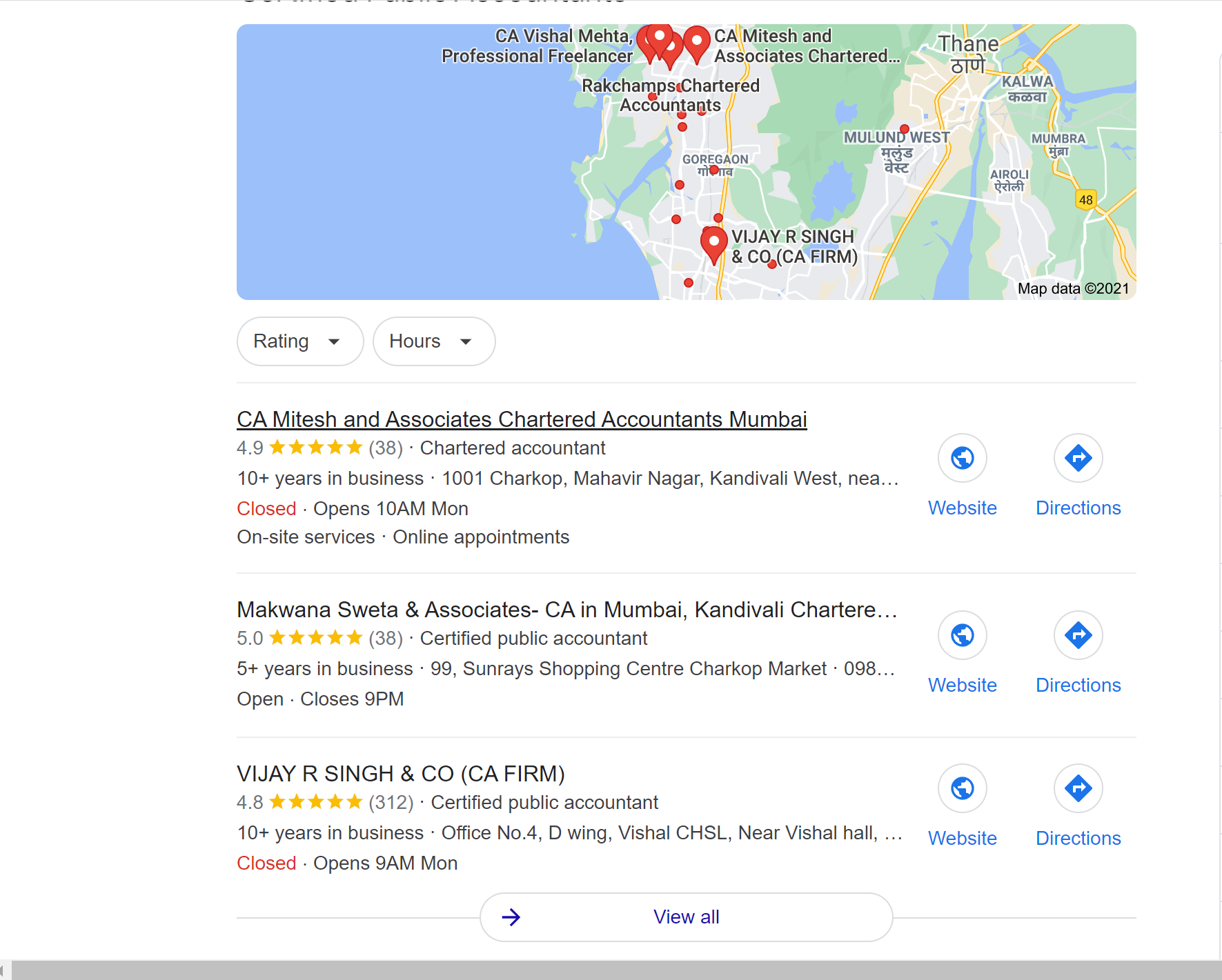
Now you can see, I got some listings. what do you think, when I type the search term why particular names are listed. the reason is all these businesses have made their business profile on Google.
Do you want your firm's name to appear on google search and Google maps so that clients can easily find and call you? Is it allowed by ICAI to have such listings ? We will discuss all this in todays video.
In todays time and especially after covid , having online presence is very important for every business and chartered Accountants are no exception to it.
Today every client is searching for their requirements on Google. they are also trying to find tax consultants on Google. Due to which it is very important that you should have a prominent presence on Google.
Prominent place on google can be achieved by two ways, one you have a strong website or second if you don't have a website, you have to create a profile on Google my business. Even if you have a website, it is advisable to have a profile made on Google my business as well.

Friends please read this article till end as we will tell you how to use This application effectively to grow your practice. So don't miss the last part.
As per ICAI guidelines for Chartered accountants websites -
The listing on the search engine should be permitted. However, the field of search should be restricted only to the field of “Chartered Accountants” or “CA” or “Indian CA”, “Indian CPA”, “Indian Chartered Accountant”. So from this it is clear that CAs can register on Google my business and be part of Google listing.
Chartered accountants can use Google My Business which is a free and easy-to-use tool to manage their online presence across Google, including Search and Maps.

With help of this application, CAs can help clients find their practice, give more details about practice and they can verify heir business listing and edit their practice information.
Google My Business provides with the ability to list your business location on Google Maps and local search results.
You can display important information about your business, including the opening/closing times, contact details or a link to your website.it's free to create your Business Profile on Google.
Now lets see what are the benefits of Google my business application.
1. Engage with clients:
There are a lot of ways clients can interact with your Business Profile, and you use your Google My Business account to engage back with them. You can respond to reviews, answer questions, enable direct messaging, and set up associated alerts.
2. Highlight more details about your business:
A Business Profile alone contains limited information about your business. But through your Google My Business account dashboard, you can provide working hours, a link to your website, services provided, attributes, and other details that make your business unique.
3. Gain insights:
You can use the Google My Business dashboard to gain key insights on your audience and local search performance. In the analytics tab of the platform, you can see the queries clients are using to find your Business Profile, whether they found you on Google Maps or Google Search, a breakdown of actions taken on your listing, and how your photos are performing compared to other profiles in your category.
4. Perform local SEO:
Just as Google has algorithms for ranking its ads and websites, it also has one for ranking Business Profiles. Through your Google My Business dashboard, you can incorporate keywords into your Business Profile and perform other optimizations to help it rank in local results.
In our next article, we will show you how to register on Google my business, with help of a real example.
If you like this article and feel it is useful , please share and like the article so that we can keep coming up with more articles. Comment and tell us which new topics you will like us to discuss in detail. Take care and keep growing.
Disclaimer: The information contained in this website is for general information purposes only. The information is provided by PracticeGuru and while we endeavour to keep the information up to date and correct, we make no representations or warranties of any kind, express or implied, about the completeness, accuracy, reliability, suitability or availability with respect to the website or the information, products, services, or related graphics contained on the website for any purpose. Any reliance you place on such information is therefore strictly at your own risk. In no event will we be liable for any loss or damage including without limitation, indirect or consequential loss or damage, or any loss or damage whatsoever arising from loss of data or profits arising out of, or in connection with, the use of this website.
Grow your practice with PracticeGuru




Write for PracticeGuru
Send your articles to [email protected]. We publish them on our website with credit to you. Read all articles.
